
Timbre EQ · our own tool
An equalizer for the music you already play.
Timbre EQ shapes whatever the Mac is playing, on the speakers or headphones you are already using. You drag the curve. An iPhone can be the remote, and the microphone when you tune the speakers to the room. One purchase. The processing stays on the Mac.
One purchase for Mac and iPhone · no subscription
Why it exists
The curve should stay yours after you close the window.
A listening room collects systems. One pair of speakers, a desk, a pair of headphones, and the same album sounds different on each. The fix is a curve you can see and change, kept with the system it belongs to.
Timbre EQ is that curve, on the Mac you already play music from. There is no account to keep the EQ alive, and closing the window leaves it running in the menu bar. The iPhone is how you reach it from the chair, and how the room gets measured.
What it does
Hear the change, then check that you heard it.
The curve, over the music
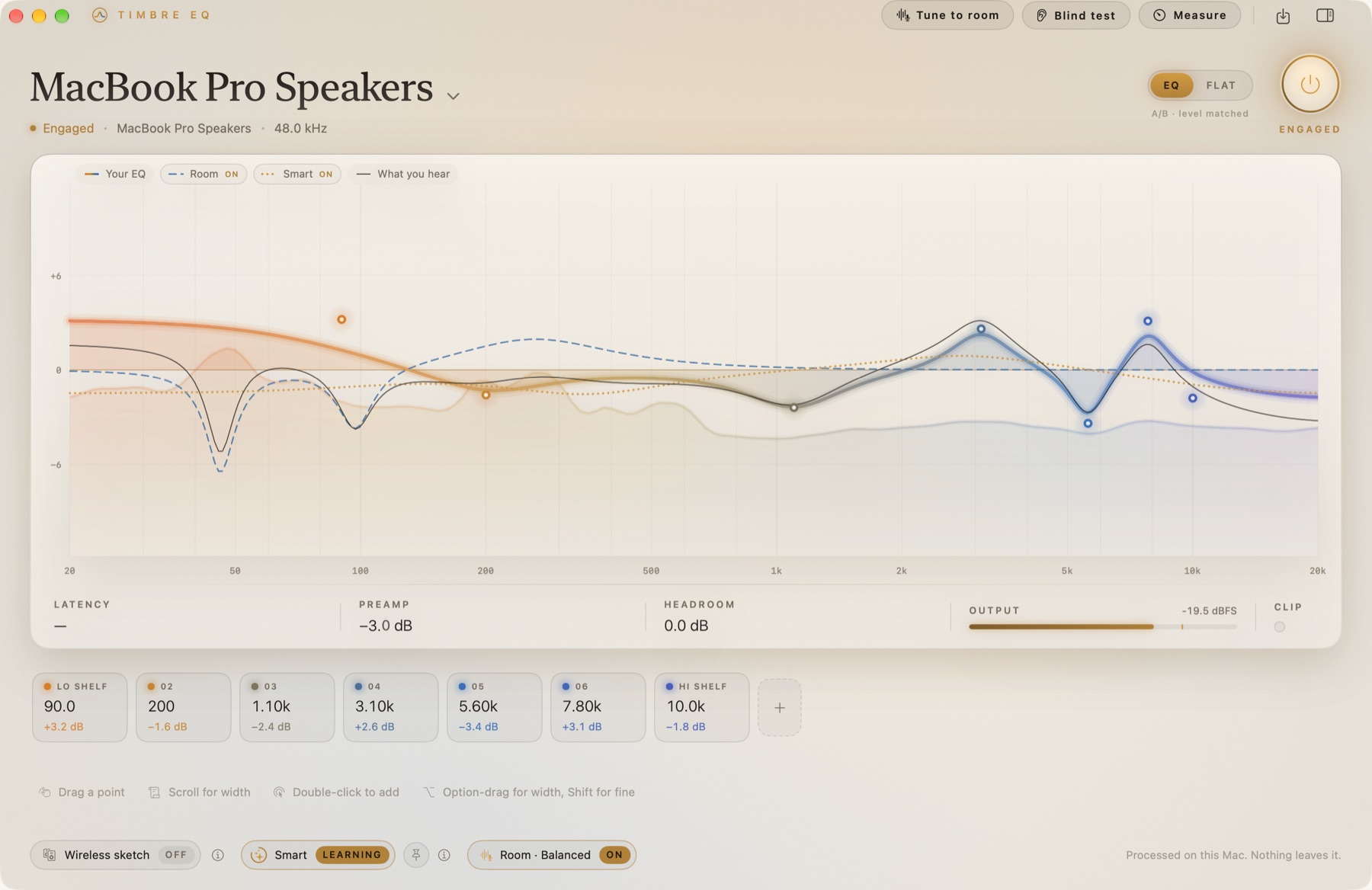
Drag points on a parametric EQ. Shelves and peaks, with the spectrum of what is playing behind them. The Mac equalizes Apple Music, Spotify, or any other app, on the output you are already using.
A setup for each system and room
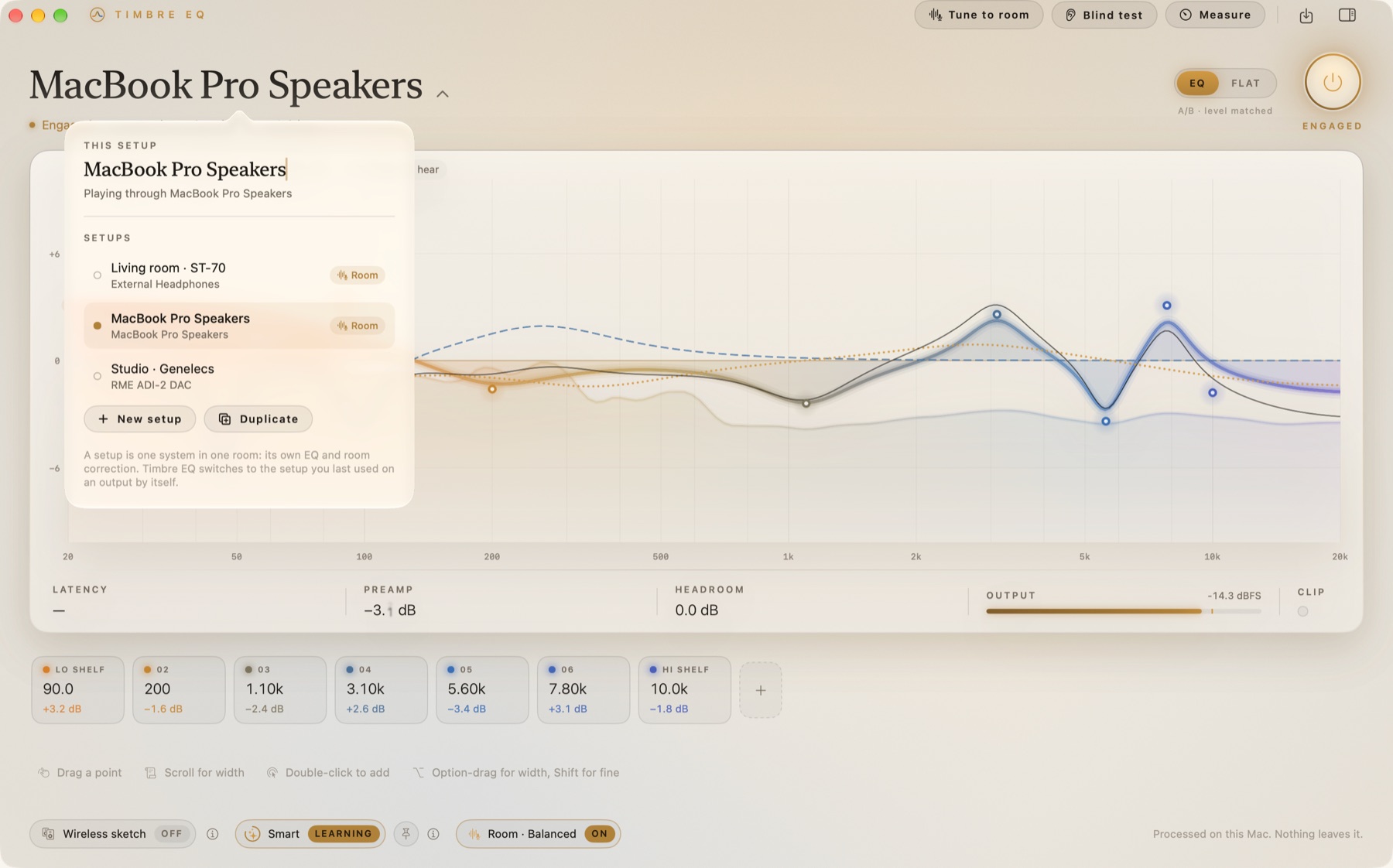
Name it for the system and the room. “Living room · ST-70” keeps that curve, those notes, and that room correction. Switch outputs and Timbre EQ can return to the setup you used there last.
Tune to the room, with your iPhone
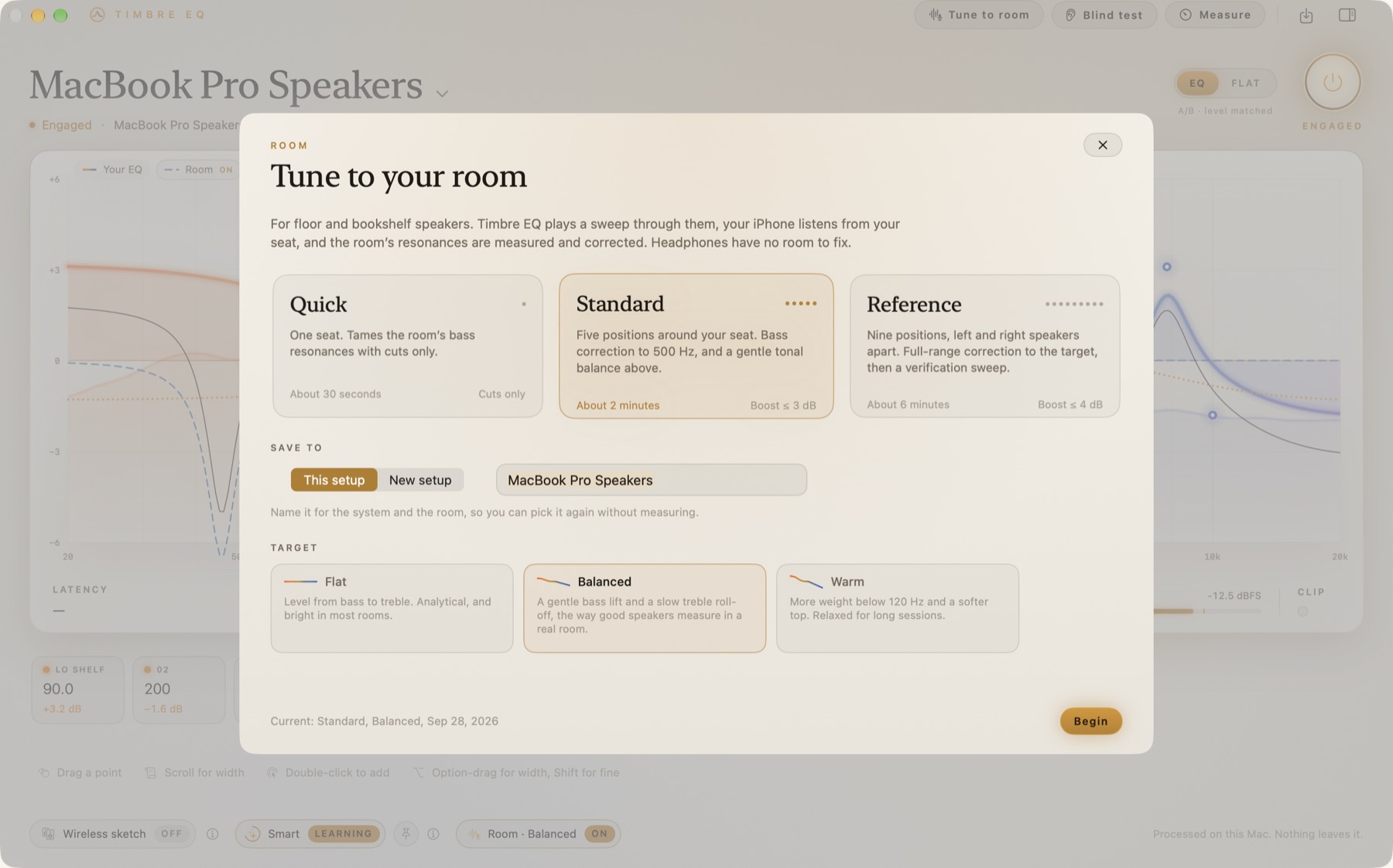
For floor and bookshelf speakers. The Mac plays a sweep, the iPhone listens from your seat, and the room’s resonances are corrected. Quick, Standard, or Reference. Headphones have no room to fix.
Smart, when you want it
Smart follows the tonal balance of whatever is playing and nudges it gently. It stays off until you turn it on. You can hold a balance you like.
A blind test
ABX, level-matched. You hear your curve and flat without being told which is which, and you say which one you think is the EQ. It is there so you can check what you actually hear.
Measurements, on your Mac
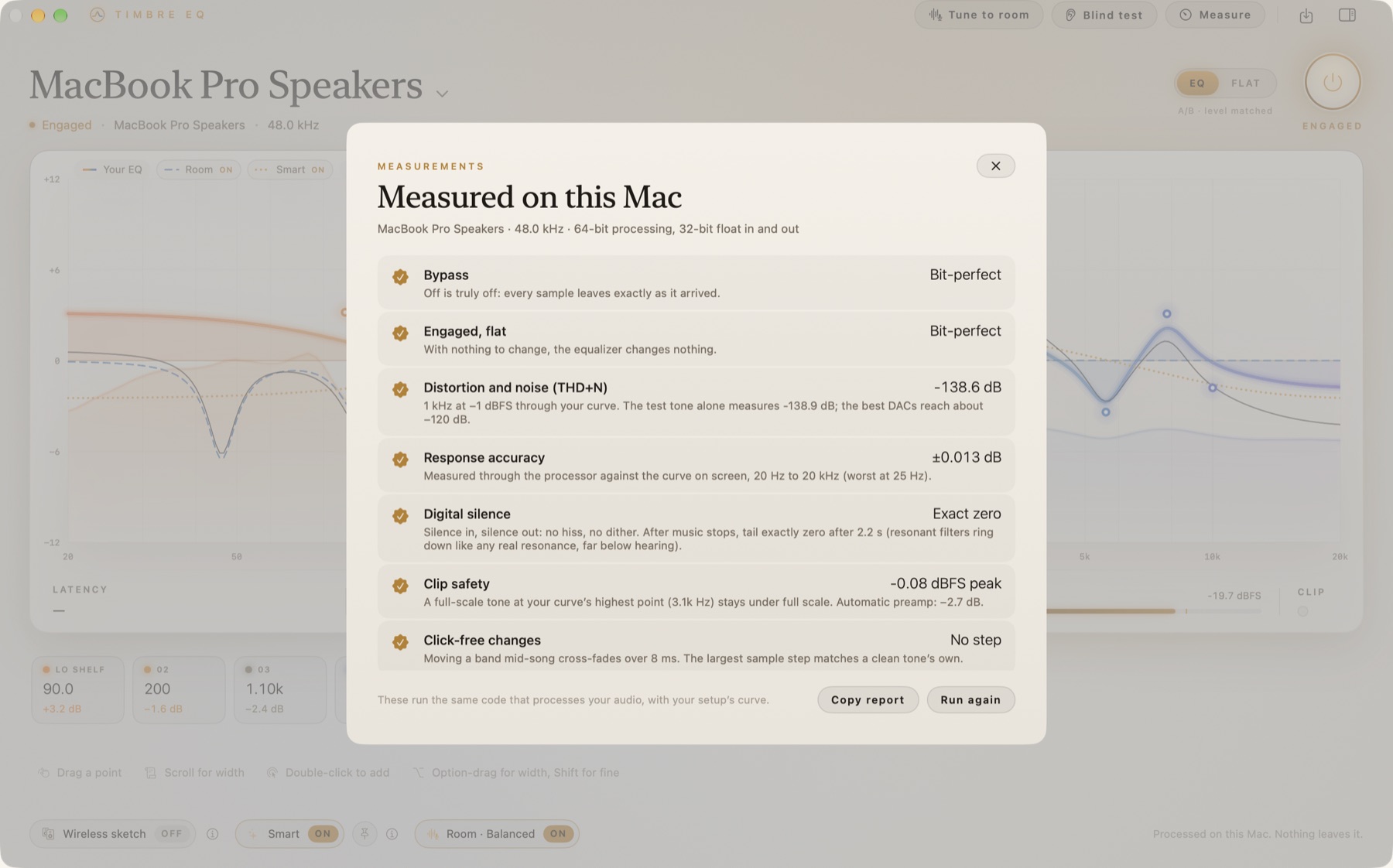
Measure runs the same processor that handles your audio and reports the figures for your curve: bypass, distortion and noise, and how closely the sound matches the line on screen.
A look at it
The same curve, from the chair or the desk.
Plainly stated
What it leaves alone.
A few things people expect, and will not find. Better to read them here.
The iPhone does not equalize other apps
Apple does not allow it. The iPhone app is a remote, a live view of the curve, and the microphone for Tune to room. To hear the phone’s music through the EQ, AirPlay it to the Mac.
Nothing is uploaded
There is no account and no analytics. The music is processed on the Mac. During Tune to room the iPhone sends the recording to that Mac, on your own network, and nowhere else.
You draw the curve
You shape the curve. A room correction is a measurement of your speakers in your room, not a preset borrowed from someone else’s system. The name of an amplifier belongs in the setup’s name, if you want it there.
The iPhone
A companion, bought with the Mac.
The iPhone shows the live curve, switches setups, and turns Smart on or off. When you tune the room, you hold it at ear height, screen up, bottom edge toward the speakers. Same Wi-Fi as the Mac. They find each other.
If the music is on the phone, AirPlay it to the Mac and it passes through the EQ with everything else. The phone app cannot equalize Spotify, Apple Music, or any other app running on the phone.
Read the privacy policy for what crosses that local network, and what never leaves the house.
- Bypass
- Bit-perfect. Engaged with every band flat is bit-perfect too.
- Distortion and noise
- About −138 dB THD+N through a typical curve. The run in the picture above measured −138.6 dB.
- The curve you see
- The measured response matches the line on screen to a few hundredths of a decibel. That same run read ±0.013 dB.
- Where it runs
- 64-bit, on the Mac. The EQ adds no latency of its own. The only delay is the output device’s buffer. Silence in stays silence out. Boosts get an automatic preamp so they do not clip.
Questions
A Mac app, with the phone as the other hand.
- Does it work with Spotify and Apple Music?
- Yes. Timbre EQ equalizes what the Mac is playing, whichever app is playing it, through the output already chosen in System Settings.
- What does it cost?
- One purchase, paid up front, for the Mac and the iPhone together. There is no subscription. The price is the one on the App Store listing.
- Can I use it on headphones?
- Yes. The equalizer works on any output, including headphones. Tune to room is for speakers. Headphones have no room to fix.
- Where do the Mac and the iPhone talk?
- On your own Wi-Fi, directly. There is no Wood Lab account between them.
The particulars
Before you buy.
- Price
- One purchase for Mac and iPhone together. No subscription. The price is set on the App Store listing.
- Requires
- macOS 14.4 or later, Apple silicon or Intel. iPhone companion on iOS 17 or later. System Audio Recording, so the Mac can hear what it is playing.
- This page
- This page is English. Support and privacy are on this site in English, Deutsch, Français, Español, Italiano, 日本語, 简体中文, and 한국어. Every App Store language links to those same addresses.
- Built by
- The Wood Lab. Email a person who wrote it.
Built here, for the system in the room.
Timbre EQ came out of the same workshop as the client work. If your business runs on a process no subscription quite fits, that is the conversation we like having.