
LeaseLab · our own tool
A landlord app for your Mac.
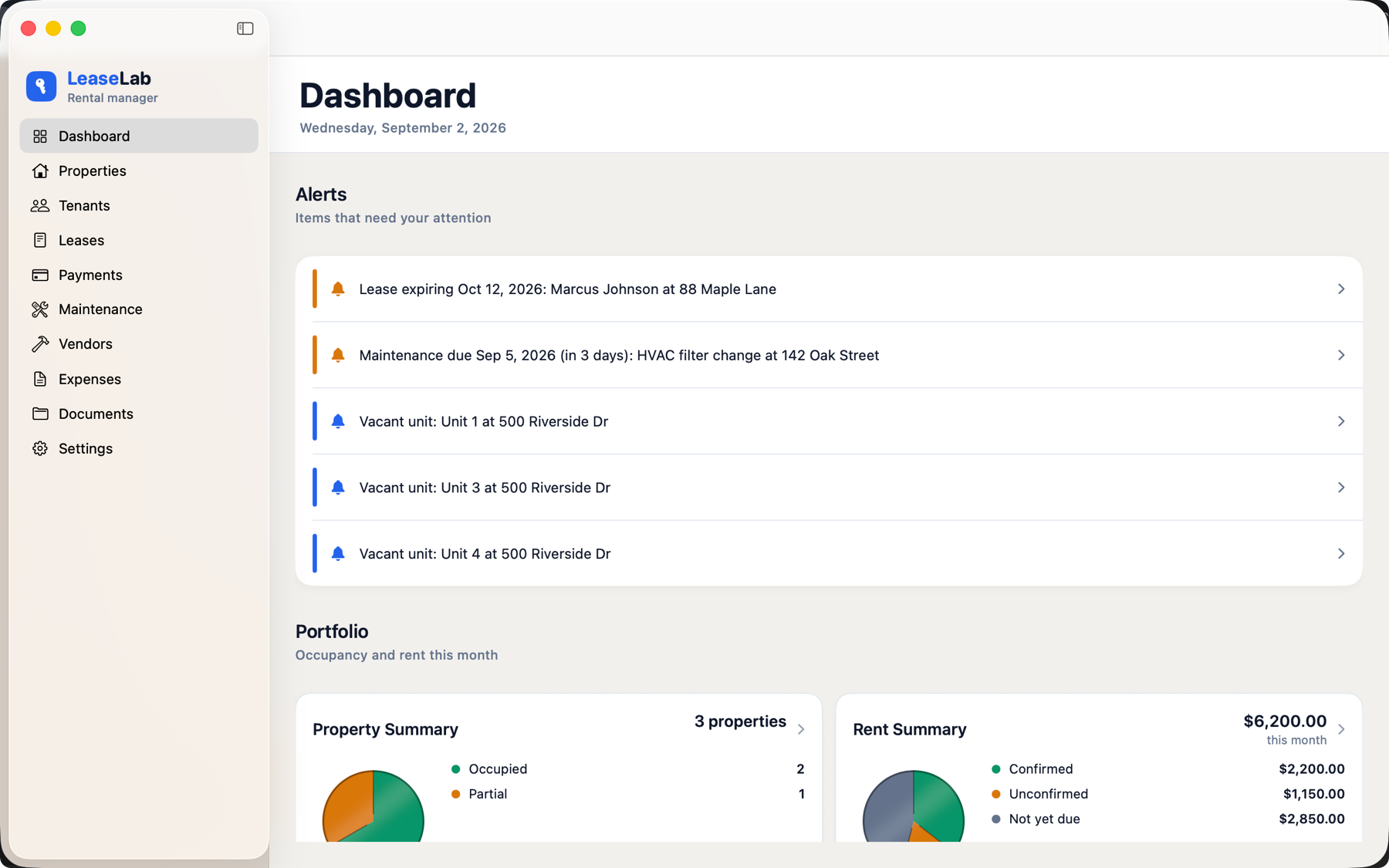
LeaseLab keeps properties, tenants, leases, rent, maintenance, and expenses for a small portfolio. It is a native Mac app, and the same one on iPhone and iPad. It syncs through your own iCloud and works with the wifi off. The download is free.

Free for one property · $129.99 once to add the rest · Mac, iPhone, and iPad
Why it exists
Software for four doors should not bill like software for four hundred.
Property management software is sold per unit, per month, forever. A landlord with six rentals ends up renting the tool that tracks the things they own, and the bill arrives whether or not anything happened that month. Stop paying and the records go with it.
LeaseLab is the other arrangement. The download is free, one property you add is free, and a one-time unlock adds the rest. The app and its data sit on hardware you already own. No account to keep alive, no per-door fee, no vendor deciding next year that your portfolio is now on the Professional tier. At $129.99 the unlock costs less than a year of a typical per-unit subscription, and then it stops costing anything at all.
What it does
The whole job, not the parts that demo well.
Properties, units, and the details you forget
Addresses, structure, year built, square footage, purchase price and insurance renewal. Rooms, windows, and appliances per unit, so the water heater's age is written down somewhere other than your memory.
Tenants and leases that print
Lease terms, deposits, pets, and everyone on the agreement. Generate a residential lease as a PDF you can hand over, sign, and file.
Rent you confirm, not rent an API guesses
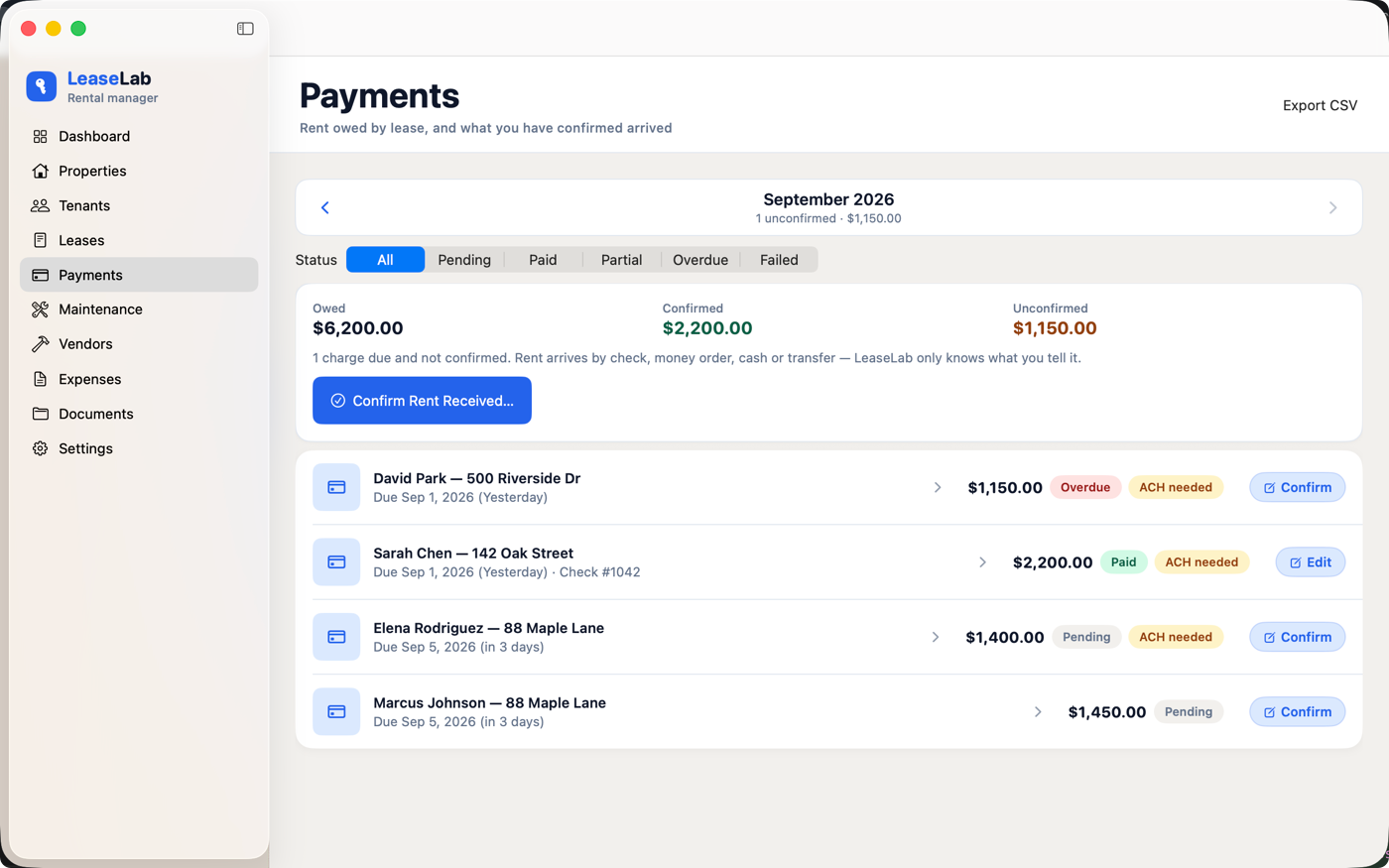
Every month's charges appear from the lease terms, prorated for partial months. You mark what actually arrived — check, money order, cash, or an ACH you already run at the bank.
Maintenance, vendors, and what it cost
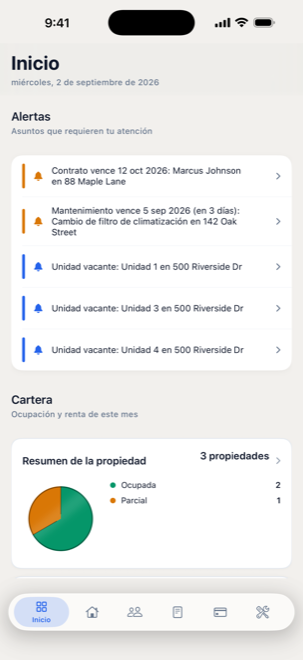
Scheduled tasks with due dates, work orders against a property, and the vendors who did the work. Expenses roll up per property against the rent it brought in.
Numbers before you buy
Cap rate, cash-on-cash, and break-even occupancy on a prospective purchase, using the rate you were actually quoted. Vacancy modeled as an assumption you control, because it is one.
Reminders on your terms
Optional notifications when rent comes due or a task is coming up, configured per device. Off by default. Nothing is sent anywhere to make them work.
A look at it
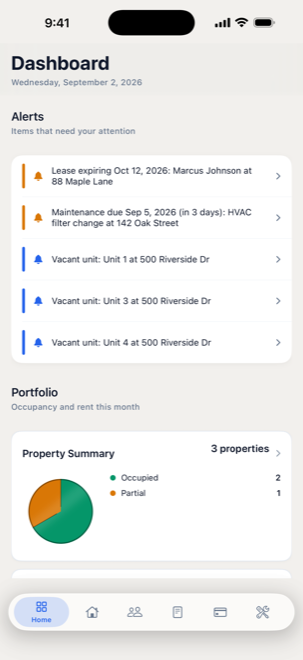
Same portfolio, whichever screen is nearest.
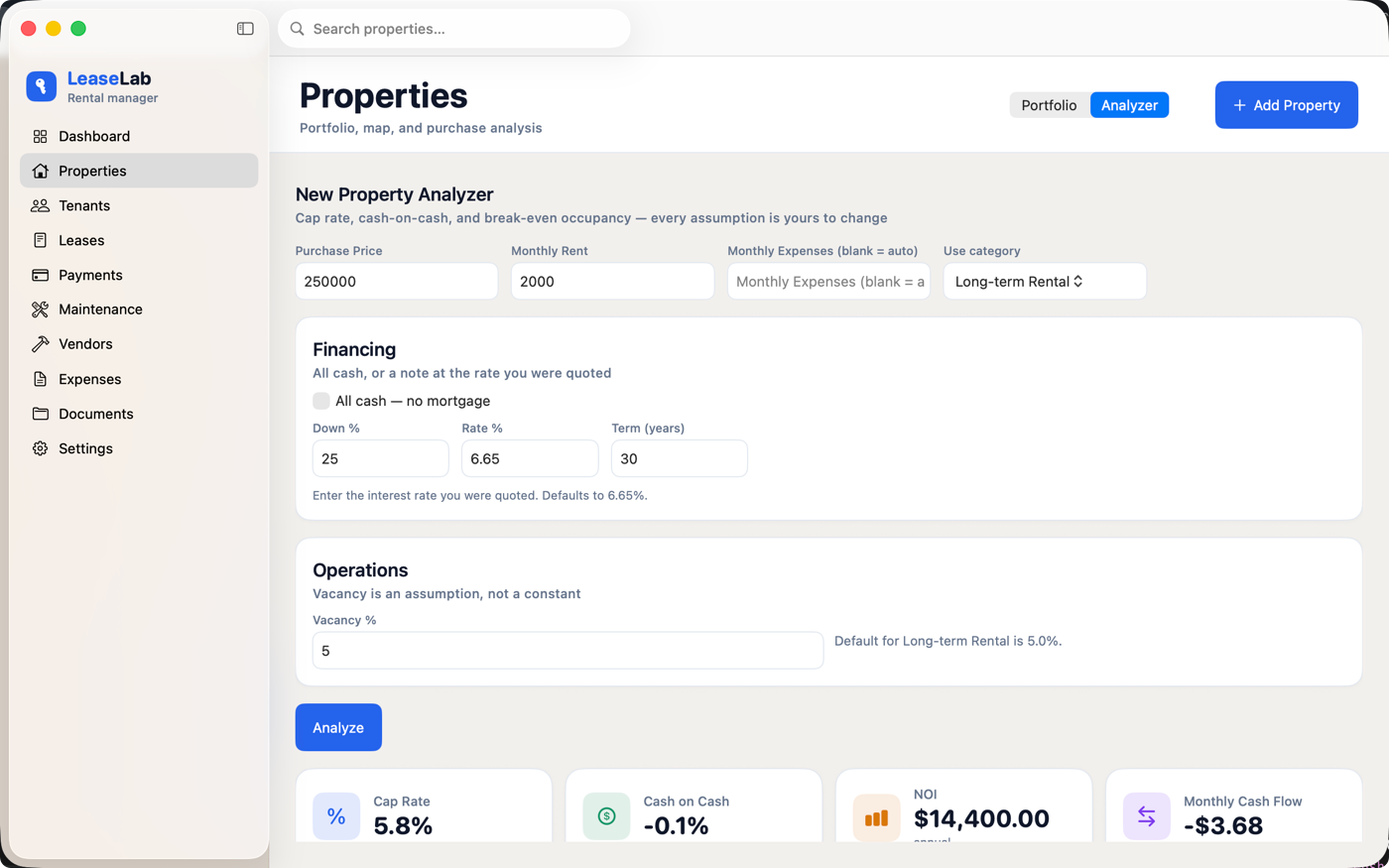
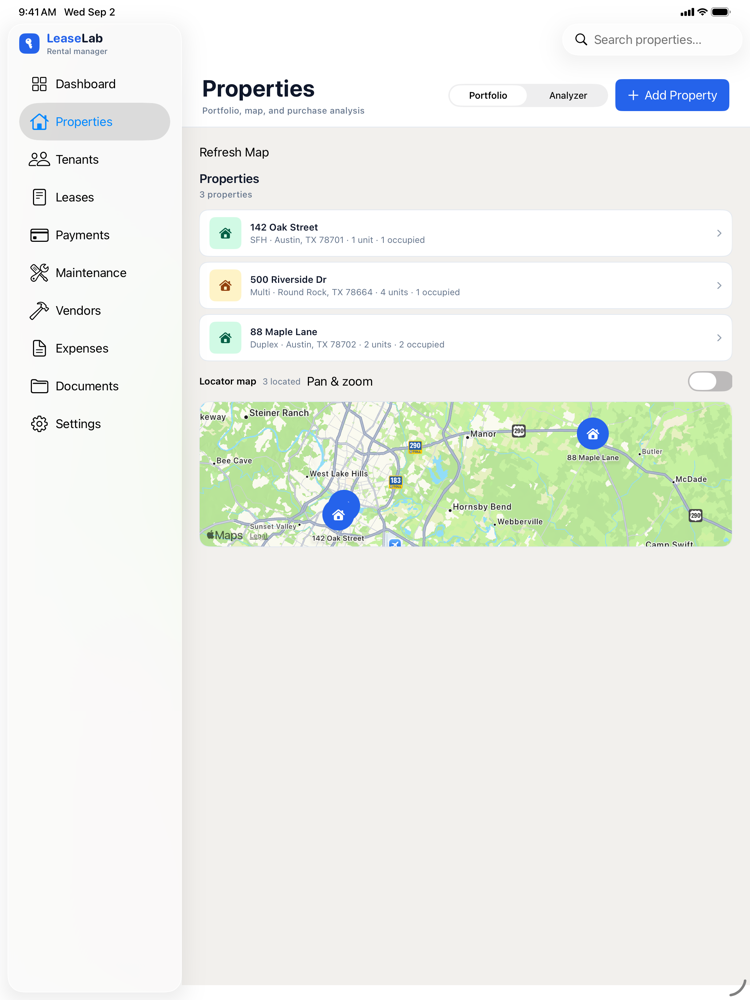
Each property carries its own units, rooms, windows, appliances, insurance, and photos, so the age of the roof and the model of the water heater are written down where you will look for them.
The locator map is built from the addresses you typed. Apple Maps turns each one into a pin, the same way it would if you looked the address up yourself, and nothing else is sent anywhere.
What needs attention today 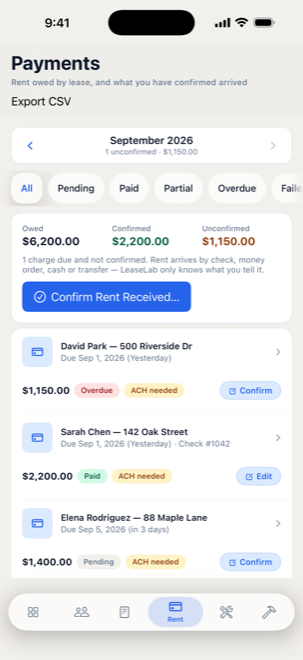
Confirm rent from the truck 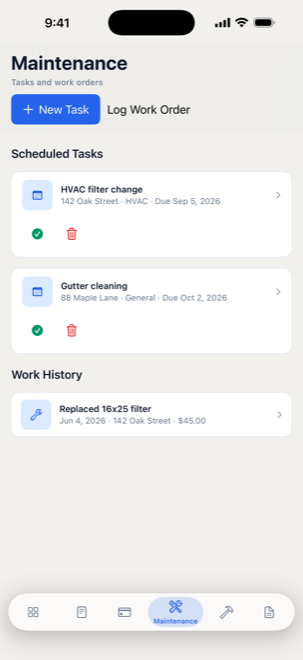
Scheduled work and what you spent
Plainly stated
What it deliberately does not do.
Every one of these is a feature somebody will ask for. Each is left out on purpose, and it is better to know that before you buy than after.
It does not touch your bank
LeaseLab stores no routing or account numbers and never originates a debit. If a lease is on ACH, you mark it authorized and note where the signed form is filed. The money still moves at your bank.
There is no tenant portal
No logins to hand out, no listings syndication, no screening service reselling your applicants' credit reports. It is your book of record, not a marketplace.
No account, no analytics, no telemetry
There is no server to sign in to and nothing phones home. The developer cannot see your portfolio, and could not produce it if asked.
Your data, your account
iCloud, because it is already yours.
The portfolio lives in a database on the device. Signed in to iCloud, the same Apple ID picks it up on your other Macs, your iPhone, and your iPad. There is no middle server, because there is no server.
Invite a spouse or a partner on their own Apple ID and they see the portfolio too, or just the properties you actually share with them. Revoke it whenever you like.
When you want a copy in your hands, LeaseLab writes a zip backup and CSV exports to a folder you choose. Read the privacy policy for exactly what leaves the device, and what does not.
Questions
A native Mac app, not another monthly login.
- Is there a landlord app that runs on a Mac?
- LeaseLab is a native Mac app, not a website squeezed into a window. The same portfolio opens on iPhone and iPad. It works with the wifi off. Sync, when you want it, goes through your own iCloud.
- What does LeaseLab cost?
- The download is free. One property you add is free. A one-time unlock, Unlimited Rental Properties, is $129.99 and adds the rest. There is no subscription and no per-door fee. Houses someone shares with you never count.
- Does it connect to my bank?
- No. LeaseLab never sees a routing number and never pulls a transaction. You confirm the rent that actually arrived: check, money order, cash, or an ACH you already run at the bank.
- Do I buy it again for iPhone or iPad?
- No. Install it on each device with the same Apple ID. The free property and the unlock both follow that Apple ID. Restore Purchases is in Settings if a device you already paid on still shows the paywall.
The particulars
Before you buy.
- Price
- Free to download. One property you add is free. A one-time unlock ($129.99) adds the rest, on Mac, iPhone, and iPad with the same Apple ID.
- Requires
- macOS 14 or later, iOS and iPadOS 17 or later. iCloud sync is optional.
- Languages
- English and Spanish.
- Support
- Email a person who wrote it. Support and questions.
Built here, for a job we were doing anyway.
LeaseLab came out of the same workshop as the client work. If your business runs on a process no subscription quite fits, that is the conversation we like having.